We use cookies to enhance your browsing experience and analyse our traffic. By clicking “Accept All”, you consent to our use of cookies according to our Cookie Policy. You can change your mind any time by visiting out cookie policy.
We shipped a production health data app on Terra's Unified API. Twelve lessons from the code we wrote around it: the webhook handler, the database schema, and what to show when a user's two devices disagree.
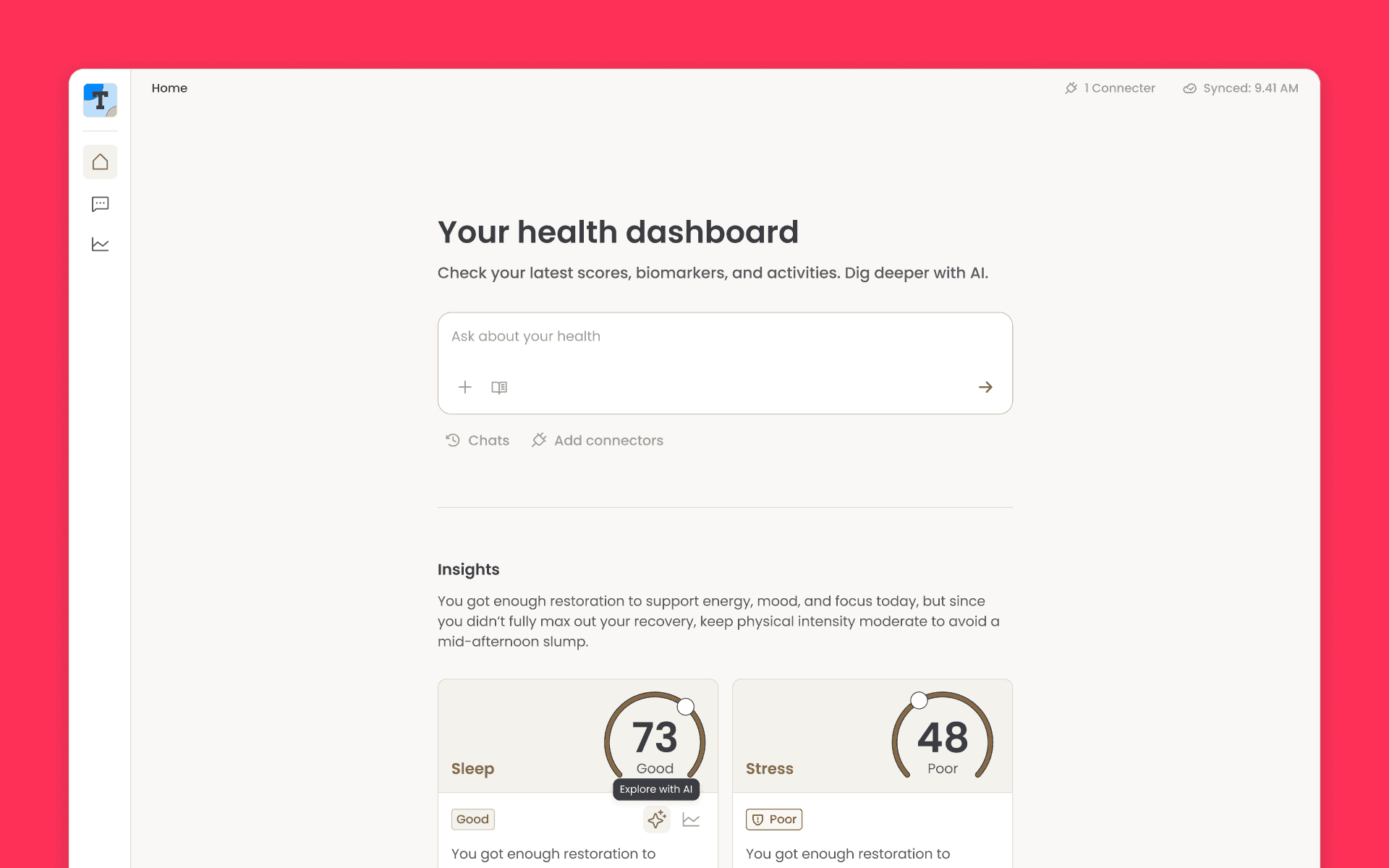
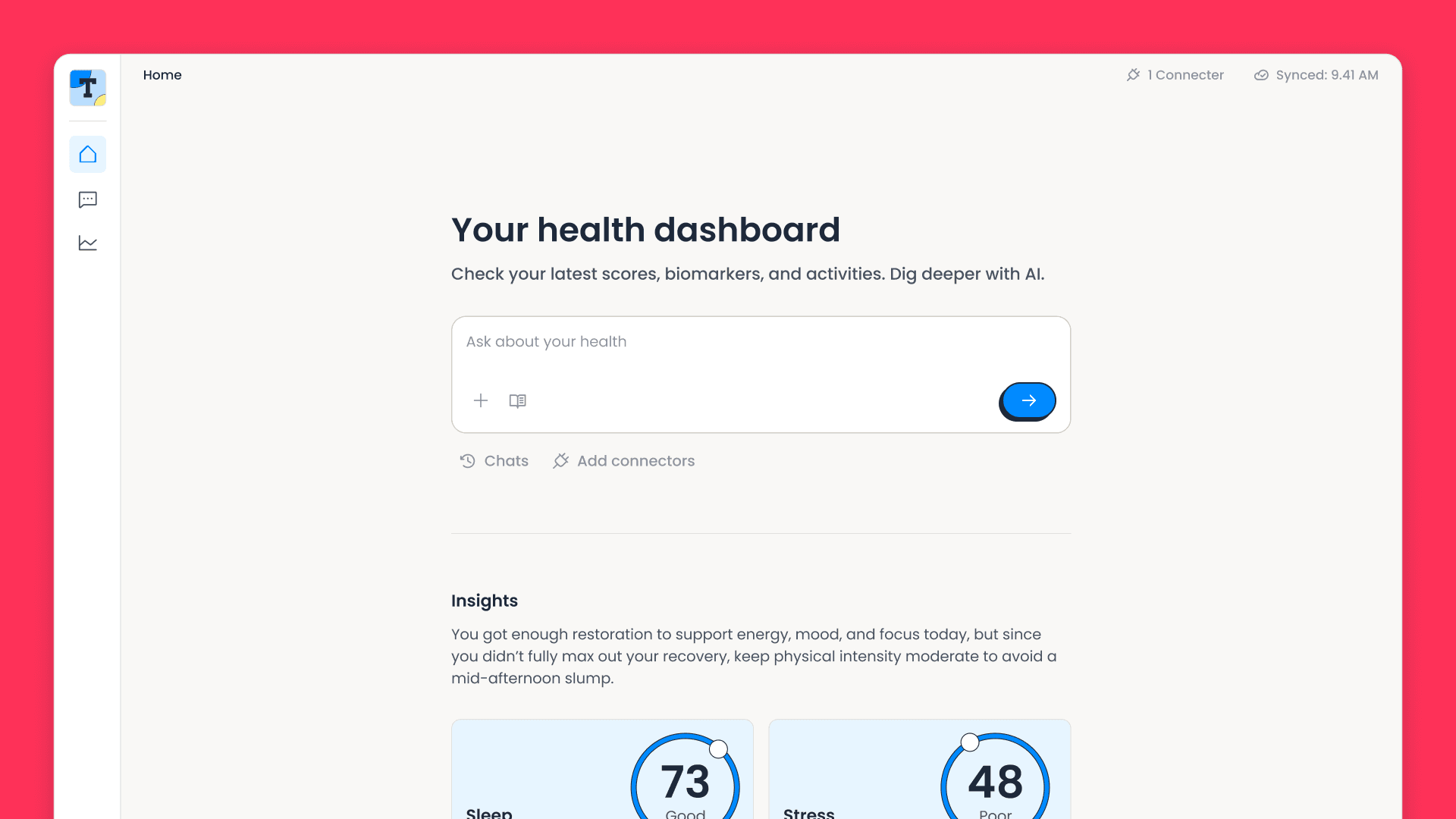
Terra's Unified API normalises several hundred wearable, sensor, lab and health-app sources into one shape, so the per-provider work is done before you start. What's left is the code on your own side of the webhook, and that's where every problem in this piece came from. Terra Basecamp is our open-source example app for that side: it connects a user's wearables, charts the data on one dashboard, and answers questions about it with an AI assistant.
TL;DR:
Verify before you parse. Check the signature against the raw request bytes, then deduplicate on the terra-reference header so a redelivery can't double-count.
Use Terra's identifiers as your primary keys. Every write becomes an idempotent upsert.
Store measurements and Terra's computed scores under different update rules. A score can legitimately arrive null while every measurement is intact.
Rank providers per data category, not globally. One global ranking is wrong everywhere, because a sleep ring and a smart scale win different categories.
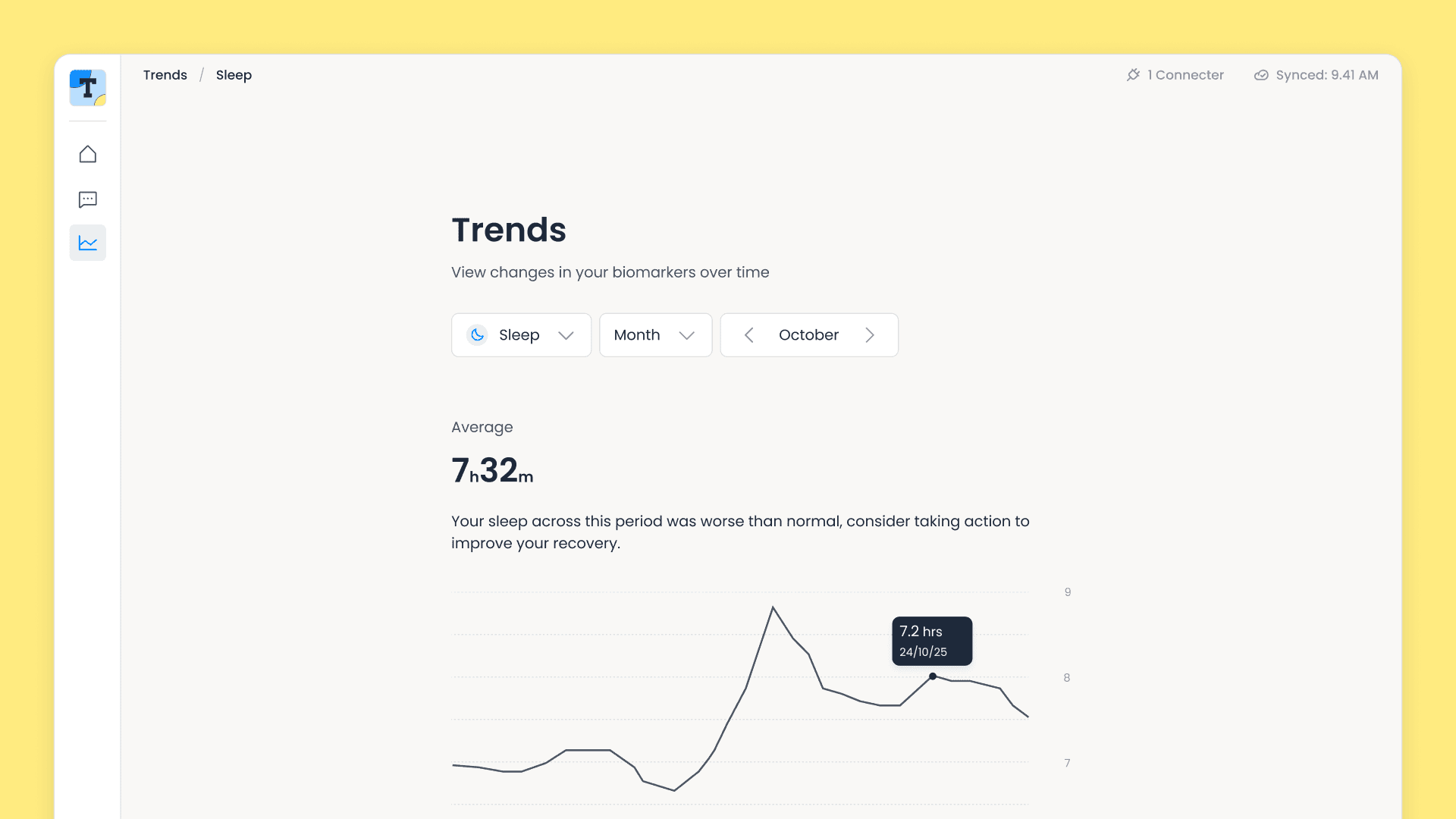
What the twelve lessons are in service of. The "Synced" timestamp top right is the lastWebhookAt value, stamped every time a data webhook arrives.
Get the latest Terra Research reports and insights every week as soon as they're published.
Receiving Terra webhooks: verify, deduplicate, acknowledge fast
Terra pushes data to you. When a user's watch syncs, Terra processes the provider's data and sends you a signed webhook. Everything downstream depends on this endpoint being boring and correct.
Verify the webhook signature before you parse
Terra signs every webhook with a shared secret, using HMAC with SHA-256: a signature nobody without that secret can produce. The signature covers the exact bytes of the request body, and Terra's docs spell out that verification needs "the raw, unaltered body of the request".
Read the body as text and verify it before you turn it into an object. Parse first and you've trusted unverified input; verify against a re-serialised copy of the parsed object and you're checking bytes Terra never signed, because re-serialising JSON doesn't reliably reproduce the original.
// Raw body required: verify the signature before parsing JSON
const rawBody = await c.req.text();
const signature = c.req.header("terra-signature");

if (!signature) return c.json({ error: "Missing terra-signature header" }, 401);

try {
  await verifyTerraWebhookSignature(rawBody, signature, webhookSecret);
} catch {
  return c.json({ error: "Invalid signature" }, 401);
}
The terra-api SDK gives you verifyTerraWebhookSignature, so there's no HMAC code of your own to write. Reject anything unsigned or badly signed with a 401 and log it; in normal operation that log line should never appear.
Webhook idempotency: you will get the same event twice
Webhook delivery is at-least-once, not exactly-once. Retries, network timeouts and provider redelivery all put the same event on your doorstep twice. If your handler isn't idempotent, meaning running it twice has the same effect as running it once, you'll double-count data.
Terra gives you the tool to solve this. Deliveries carry a terra-reference header that identifies the event, so we insert it into a terra_webhook_event table with a unique constraint. That table doubles as an audit log: every event we've ever received, its type, its status, and where its raw payload lives. If the reference is already there, we return 200 immediately and do nothing else. We treat the header as optional and fall through to normal processing when it isn't present, rather than dropping an event we can't key.
For your build: put terra-reference under a unique constraint, and answer a collision with a 200.
Answer Terra's webhook in eight seconds, then do the work
Terra waits eight seconds for your server to respond before treating the request as timed out. Archiving a payload, looking up a connection and running half a dozen upserts can exceed that under load. If you time out, Terra retries, and now you're processing the same event twice while the first attempt is still running.
Split acknowledgement from processing. We insert the event row, return 200, and do the real work after the response has gone out. On Cloudflare Workers that's waitUntil. On other platforms, a queue does the same job with better delivery guarantees.
Because the response is already sent, a failure after that point can't be reported through the status code. That's what the event table's status column is for: mark the row failed with the error message, and a job that dies at 3am leaves a trace you can query in the morning.
Decide what to do with the events you don't act on
Not every webhook is data or a connection change. Terra also sends operational event types: healthcheck, processing, large_request_processing, large_request_sending, rate_limit_hit and google_no_datasource. Listen to them, because they tell you Terra is working on something big, or that you're near your rate limit, or that a Google account has no data source attached.
We log them, mark the event processed and move on. The important part is that "we don't act on this" is an explicit branch rather than a fall-through, and that unknown event types hit a default case that logs rather than throws. A new event type Terra adds later shouldn't turn into a failed webhook and a retry loop on your side.
One event deserves more than a log line. Any data webhook is evidence that a connection is alive, so when we process one we stamp lastWebhookAt on the connection and set its status back to active. You get a "last synced" timestamp for the UI for free. A connection that had been marked as errored and has quietly started working again heals itself, before anyone files a ticket about it.
Storing health data so it stays correct: use Terra's IDs as primary keys
A verified, deduplicated webhook is only useful if what you write down stays right. Most of the work came down to which column is the primary key, how you turn a timestamp into a day, and which fields are safe to overwrite.
Use Terra's natural keys, not your own UUIDs
The instinct is to give every table a UUID primary key. For webhook data that's a mistake, because it makes deduplication your problem: you have to look up whether a record exists before deciding to insert or update.
Terra already gives you stable identifiers. We use them directly as primary keys. Activities and sleep records are keyed on metadata.summary_id. Daily, body, nutrition and menstruation records are keyed on the connection plus the calendar date, because Terra's guidance for those types is to key on the date and ignore the time. No data table has a surrogate UUID column.
Every write then becomes one idempotent statement: an upsert, INSERT ... ON CONFLICT DO UPDATE. Replay the same webhook a hundred times, or replay yesterday's webhooks out of order, and the table looks identical. The database enforces deduplication, and there's no handler logic left to get wrong.
Health data timestamps: slice the date, don't convert it
Terra's docs are explicit about daily-type payloads. "When parsing, only consider the date part of the field, and ignore the time." We'd read that as a modelling suggestion rather than an instruction.
Terra hands you a full timestamp with the provider's timezone offset preserved, like 2026-04-02T00:00:00.000000+01:00, plus a timestamp_localization flag telling you how to read it. You want all of that for activities and sleep. For daily totals, the offset is the thing that will bite you.
Convert that timestamp to a UTC Date and then ask for its calendar date, and you get 1 April. The user's watch says 2 April. You've filed a day's steps under the wrong day, and only for users in certain timezones, at certain times of year, from certain providers. It is miserable to reproduce.
For date-keyed data, then, we never construct a Date at all. We take the first ten characters of the string:
// Extract the calendar date BEFORE any timezone conversion can shift the day
date: item.metadata.start_time.slice(0, 10), // "2026-04-02"
Activity and sleep records are different. Those are real moments in time. We store them as timestamps and let the browser render them in the user's local timezone.
For your build: if a row is keyed by day, take the date out of the string and never let a Date near it.
Health data payloads hold two kinds of value
This is the one that cost us most. Terra's data handling guidance guarantees that the data you receive "will always be a superset of any previous data received", and tells you to "always overwrite data stored on your end with the most up-to-date version". That's true, and it's what makes a simple design work: take each payload, overwrite what you had, move on. We read it, believed it, and stored every payload as a single JSON blob.
What we'd missed is that the guarantee describes one of two kinds of value in the payload. Most fields are measurements read off the device: steps, resting heart rate, heart rate variability, calories. Those only ever accumulate as a provider syncs more of the day, so the superset guarantee holds exactly as documented.
The data_enrichment block is different. Those are health scores Terra computes rather than reads, like sleep score, stress, strain, resilience, and the cardiovascular and immune indices. A score describes a whole day as Terra currently sees it, and it gets recalculated as more of the day arrives.
In practice that shows up as one webhook carrying a populated data_enrichment and the next one for the same day leaving those fields null, with every measurement intact. That looks like data loss, and it's alarming until you work out that the score simply isn't derivable from what has arrived yet. We'd take a null over a number Terra can't stand behind.
The problem was entirely on our side: a JSON blob has exactly one update rule, so our storage layer couldn't tell a measurement from a computed score. We watched stress and strain scores appear on the dashboard and then disappear, with valid signed webhooks arriving in order and every individual step in the pipeline behaving correctly.
So we changed the model to match the shape of the data. We dropped the blobs and extracted every displayed metric into a typed column, which lets different fields carry different update rules. Measurements overwrite. Computed scores go through a COALESCE upsert, taking the first non-null of its arguments, so a null in the new payload leaves the last score Terra managed to produce standing:
.onConflictDoUpdate({
  target: [terraDaily.terraConnectionId, terraDaily.date],
  set: {
    /* Biomarkers: standard overwrite (latest is a superset) */
    steps: sql`excluded.steps`,
    restingHrBpm: sql`excluded.resting_hr_bpm`,
    avgHrvSdnn: sql`excluded.avg_hrv_sdnn`,

    /* Scores: COALESCE, so nulls never overwrite a real value */
    totalStressScore: sql`COALESCE(excluded.total_stress_score, terra_daily.total_stress_score)`,
    strainIndex: sql`COALESCE(excluded.strain_index, terra_daily.strain_index)`,
    resilienceScore: sql`COALESCE(excluded.resilience_score, terra_daily.resilience_score)`,
  },
})
For your build: separate measured fields from computed ones in your schema, and COALESCE the computed ones so a null never replaces a score Terra had already worked out.
Keep the raw payload anyway
Extracting metrics into columns means throwing away everything you didn't extract: every field you haven't got a use for yet, and the exact bytes you'd want when a number looks wrong.
We keep both. The raw JSON goes to object storage, partitioned by date, and every row that came out of it stores its payload_key. Columns for display, raw payloads for debugging and for backfilling a field you decide to surface later.
webhooks/2026/05/01/{eventId}.json
Archiving happens in the same async block as processing, so it costs nothing on the response path. Do it from day one; an archive only helps you if it predates the bug.
Staying in sync with Terra: use the push channel and the pull channel
Everything above assumes webhooks arrive. Mostly they do. But push delivery over the public internet fails the same way everywhere, whether the sender is Terra, Stripe or GitHub. A deploy at the wrong moment, an outage at either end, or a local dev session without a tunnel, and there's an event you never saw and no way to know it existed. We've written before on how webhooks compare to polling over HTTP, and the upshot is that you want both channels.
Reconcile Terra connections on a schedule
Webhooks are the fast path, and Terra's API is the source of truth, so we reconcile the two: ask Terra which connections a user really has, and make our database match.
The join between your users and Terra's is a field called reference_id. You set it to your own user's ID when you generate the auth URL, and Terra hands it back in webhooks and API responses. That makes reconciliation a single call, getinfoforuserid with a reference_id, returning every Terra user attached to that person. We upsert each one, then mark anything active in our database that Terra didn't mention as revoked.
We run it in three places:
On page mount, when a user opens the connectors page. This catches anything missed since their last visit.
Immediately after the OAuth redirect, so a newly connected device shows up without waiting for the auth webhook.
Every six hours on a cron trigger, sweeping every user with an active connection.
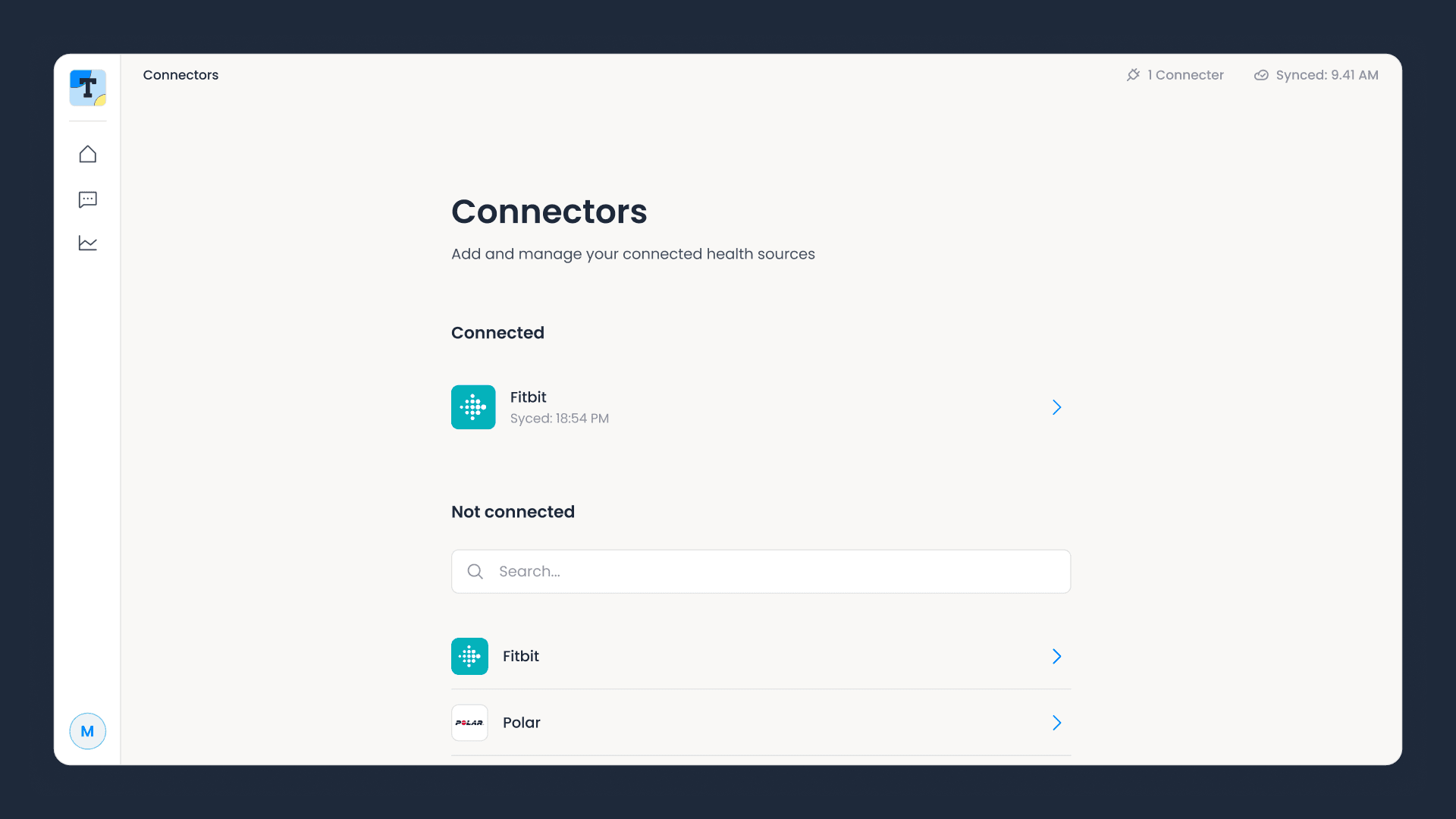
Opening this page reconciles against Terra first, so a connection that was revoked or reauthorised since the last visit is corrected before the list renders.
Reconciliation and the webhook handler both write through the same idempotent upserts, keyed on the Terra user ID. They converge on the same state regardless of which runs first, in what order, or how many times either runs. There are no ordering assumptions to get wrong and no locks to hold.
The cron sweep syncs users one at a time, catching and logging failures per user. Let a single rejected promise escape and one user whose provider is having a bad day aborts the sweep for everyone behind them in the loop.
For your build: set reference_id to your own user ID, and add a scheduled reconciliation before you need it. It converts a class of silent data-loss bugs into something self-healing.
Handle all six Terra connection lifecycle events
Connecting a device is the event everyone implements. The other five are the ones that generate support tickets. Terra documents the full set under handling authentication events.
Event
What it means
What we do
auth
User connected a provider
Upsert the connection as active, store provider and scopes
deauth
User disconnected
Mark revoked
access_revoked
The provider revoked access
Mark revoked
user_reauth
User reconnected an existing provider
Swap the old Terra user ID for the new one
connection_error
The connection is broken
Mark as error so the UI can prompt a reconnect
permission_change
Granted scopes changed
Update the stored scopes
user_reauth is the one we'd point out first. When a user reauthenticates, Terra doesn't mutate their existing user. It issues a new Terra user ID and tells you exactly which one it replaces. That's the honest representation, since a reauthorisation really is a new grant with its own scopes. You just have to act on it. If you don't, your stored ID keeps looking valid while data flows to an ID you aren't watching.
connection_error needs to reach your UI, not only your logs. A broken connection is something only the user can fix, and they can't fix it if nothing tells them. Connections also break for reasons outside your own control, including provider-side API and terms changes, which we write up on the blog as they land.
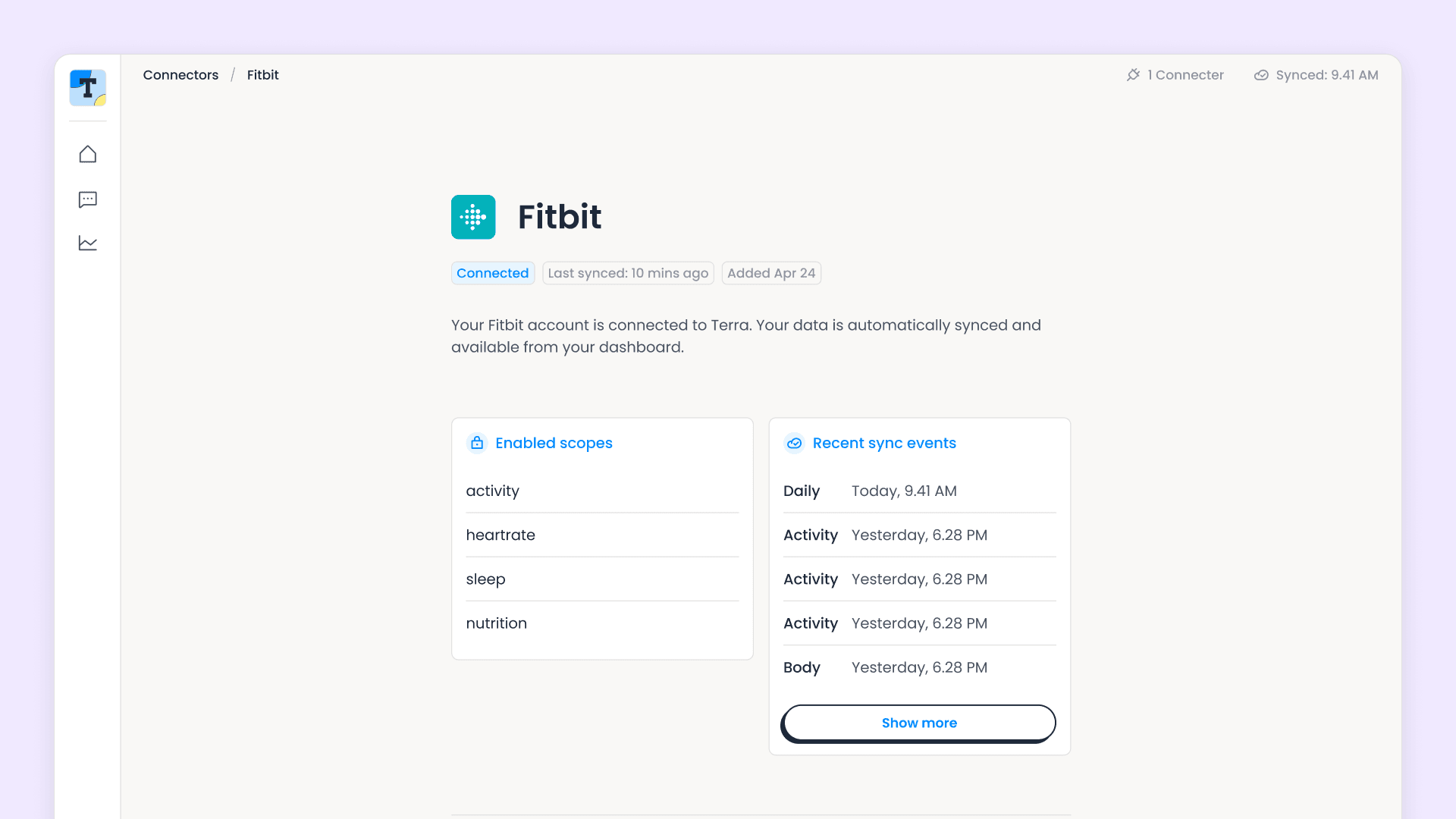
Two of these events carry scopes, and scopes arrive as a comma-separated string like fitness.activity.read,fitness.sleep.read, not an array. We split, trim and store the result as JSON, setting it on auth and updating it on permission_change. Store the parsed list, not the raw string, and you can check whether you're allowed to show a metric before you try to fetch it. Users do narrow their grants long after they first connect.
Both panels are lessons from this section made visible. The scopes on the left came out of parsing Terra's comma-separated string into a list; the events on the right are rows from the webhook event table, which doubles as an audit log.
For your build: implement all six events. Test user_reauth specifically, by disconnecting and reconnecting the same provider.
Backfill historical health data on connect
A user who connects their Oura ring or Fitbit expects to see more than tonight. Terra will send historical data, but you have to ask. On a successful auth event we request the last 30 days.
Two details we'd copy. First, only request the data types that provider supports; asking a food-logging app for sleep data is a guaranteed error in your logs. Terra's supported integrations endpoint tells you what each provider offers; we filter against it. Second, use Promise.allSettled rather than Promise.all. If the nutrition backfill fails, the sleep backfill should still land.
The backfill arrives as ordinary webhooks, so it flows through exactly the same handler as live data. Nothing extra to write, and the idempotent upserts make overlapping backfills harmless.
A month of nightly sleep on a connection added minutes earlier. A trend view needs history, and none of this arrives unless you ask for it.
Merging health data from multiple wearables: how to decide which device wins
A user with an Oura ring and a Garmin watch generates two step counts, two sleep durations, two resting heart rates for the same day. Both are legitimate, and they will not agree: devices differ in sensor placement, sampling rate and algorithm, as our comparison of heart rate and heart rate variability measurement frequencies across devices shows. Your dashboard still has one row for steps.
There is no universally correct answer here, so make yours explicit. We ranked providers, per data category, and wrote the ranking down as configuration rather than leaving it implicit in a query's ORDER BY:
Per-category is the key decision. One global ranking would be wrong everywhere: a sleep ring is built for overnight measurement, a multi-sport watch for a bike ride, and a smart scale beats both for body composition. There's a default list underneath the overrides, ordered so that devices with dedicated health sensors come first, then multi-sport watches, then platform aggregators such as Google Health Connect. Those collect what other apps and the phone recorded; they don't measure anything themselves.
Resolution is a single ranking function with three tiers. A provider listed in the category override gets its index there; one that only appears in the default list gets its index plus a large offset, so anything named for this category outranks anything that isn't; and a provider in neither sorts to infinity. That way each override list only has to name the providers that matter for that data type.
Where two providers tie, the more recent record wins. That falls out of the database ordering and needs no rule of its own.
Three refinements made it work in practice:
Fill in the gaps. Rather than picking one provider per day and accepting its nulls, we sort by priority and take the first non-null value for each metric independently. If your top-ranked device doesn't report VO2 max, the next one that does supplies it.
Deduplicate overlapping records. Activities and sleep from every connection merge into one timeline sorted by start time. If two records share a type and overlap by more than 80% (measured against the shorter of the two, so a long recording can't swallow a short one), we keep the higher-priority provider's version. Two devices recording the same run become one entry.
Show the source, but only when it's ambiguous. Every metric and activity carries the provider it came from, and the UI displays it only when the user has two or more connections. With one device it's noise. Resolve the code to a display name while you're at it, via the same integrations endpoint that gave you the catalogue, because GOOGLEFIT is an internal identifier and Google Fit is a product name.
Enrichment scores need none of this. Terra computes them server-side from whatever data it has, so there's no per-provider ranking to apply, just a choice of which connection's scores to show.
Three Terra API details to know up front
Each is a five-minute fix. Finding out which one you're looking at took an afternoon.
The provider catalogue is a public endpoint, so authenticate it differently. Terra's detailedfetch lists available integrations, scoped by your dev ID and not by a secret, because which providers you've enabled isn't privileged information. Send your dev ID alone and you get your enabled providers. Send an API key as well, out of habit from the data endpoints, and you get an empty list back. Once we clocked that, two client instances was the obvious shape: authenticated for user data, public for the catalogue.
Not every provider stamps a sleep record with a summary_id. Terra passes through what the device gives it rather than inventing an identifier. That's the behaviour you want from a normalisation layer, and it leaves the policy call to you. Since that field is our primary key, we filter those records out before the insert instead of letting one of them fail the whole batch.
Do your own navigation after the sync, not alongside it. When a user returns from a provider with ?auth=success, we reconcile to pick up the new connection. Our first version cleaned up the URL and navigated onwards at the same moment. That cancelled the in-flight sync and, during onboarding, sent people back to a questionnaire they'd already finished. This one was purely our own race condition, and the fix is to wait for the sync to settle first.
How Terra Basecamp is put together
The architecture is deliberately small, because you should be able to read the whole thing in an afternoon.
One Cloudflare Worker serves everything: the React frontend as static assets, the Hono API under /api/*, the Durable Object powering the AI assistant, and the six-hourly cron trigger. One deploy, and one log stream to read when something breaks. Every Cloudflare-side setting lives in wrangler.jsonc.
Neon Postgres with Drizzle ORM, with a dev branch for local development and the default branch for production. Migrations are generated from the schema and applied as part of deployment.
Types flow end to end with no code generation. Terra's SDK types feed the webhook handler, the handler writes into typed Drizzle columns, Hono's RPC client infers response types from the route handlers, and the React components consume those inferred types. Rename a database column and the frontend fails to typecheck.
One wrinkle if you use the SDK: it currently tracks v5 of the Terra API, and several v6 enrichment fields aren't in its types yet. We keep a small override file that extends them, and it can be deleted when the SDK catches up.
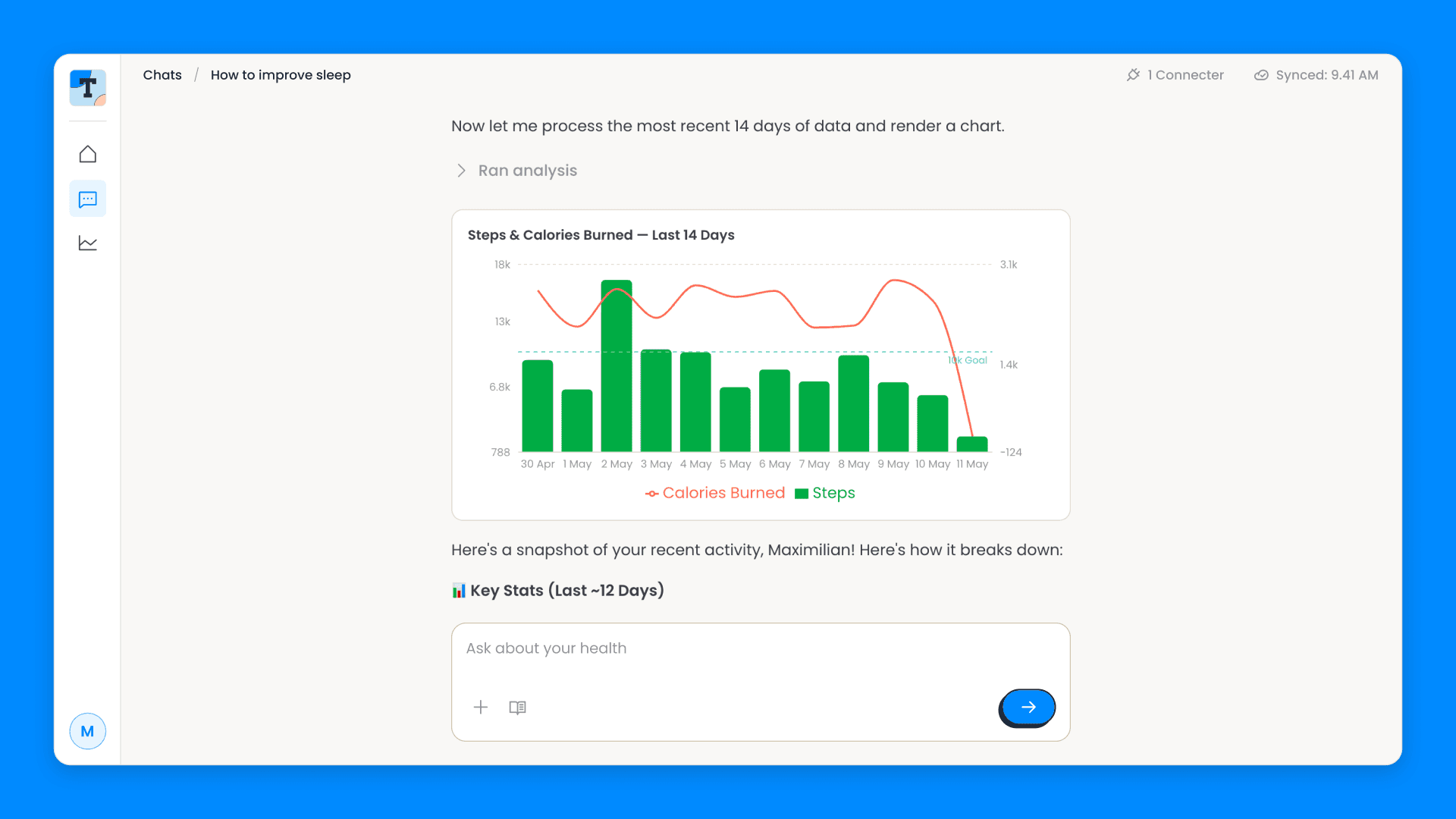
The AI assistant reads health data through Terra's MCP server, the Model Context Protocol endpoint that gives an AI agent ready-made tools for querying health data. We didn't write any tools against our own database. The assistant connects to Terra's server and gets tools for sleep, activity, daily, body, nutrition and menstruation data. It also has a local charting tool, and answers "how has my HRV trended this month?" with a chart rather than a paragraph.
The assistant pulls the data through Terra's MCP tools, then renders it locally. "Ran analysis" is the tool call, expandable if you want to see what it asked for.
The Terra integration is covered by 73 tests that mock both the database and the SDK, so the whole suite runs in under a second without touching a network.
Webhook handling is exactly the kind of code that's hard to exercise by hand. You can't easily make a provider send you a malformed sleep record, so unit tests are the only practical way to cover the edge cases: empty data arrays, a missing user ID, an unknown Terra user, an activity with type=0, a sleep record with no summary ID.
The asynchronous processing that keeps us inside the eight-second window is also what makes a webhook hard to assert on, because the handler returns before the work happens. So in tests we mock waitUntil to await the promise eagerly. The route runs synchronously under test and asynchronously in production, and you can assert on the writes a webhook caused without polling or timers.
If you're starting your Terra integration tomorrow
Everything above, condensed:
Verify the signature on the raw body, before parsing.
Deduplicate on terra-reference with a unique constraint. Return 200 for duplicates.
Acknowledge within eight seconds and process asynchronously.
Log the operational events, and give unknown event types a default that doesn't throw.
Stamp lastWebhookAt when data arrives and use it to heal connection status.
Use Terra's identifiers as your primary keys, so every write is an idempotent upsert.
For daily data, slice the calendar date out of the string. Don't convert it.
Split measured fields from computed ones, and COALESCE the computed ones.
Archive raw payloads and store the key on each row.
Set reference_id to your own user ID.
Use both channels: webhooks for speed, the user info endpoint for truth.
Handle all six auth events, especially user_reauth. Parse scopes out of the comma-separated string.
Catch sync failures per user, so one bad provider doesn't stall the sweep.
Backfill on connect, filtered to what the provider supports.
Decide your per-category provider priority explicitly, and show the provider's display name.
Health data API integration FAQ
The questions we get asked most often about building on a health data API, answered from what we ran into.
Do I still need polling if I use Terra webhooks?
Not for data. What you do need is periodic reconciliation of connection state: a missed deauth or user_reauth leaves your database confidently wrong. One API call per user, every six hours, covers it.
How do you handle a user with two wearables?
Rank providers per data category, then take the first non-null value for each metric. Any single global ranking will be wrong for either sleep or GPS activities, whichever order you pick.
What happens to historical health data when someone connects a device?
Nothing arrives unless you ask. Request a backfill on the auth event, filtered to the data types that provider actually supports.
How do you make a Terra webhook handler idempotent?
Two layers. A unique constraint on terra-reference stops a redelivery reaching your write path at all. Terra's own identifiers as primary keys make the writes replay-safe even when it does.
Should I build health data integrations in house instead?
That depends on how many providers you need and how much of your roadmap you want spent on OAuth flows and per-provider schemas. We've written a longer piece on building integrations in house versus using a unified API. The honest summary: one provider is a sprint, five is a team.
Terra Basecamp is a public template, and the fastest way to see a working Unified API integration end to end. One command pulls it down, and npm run setup signs you into Cloudflare and Neon, provisions the database and Worker, runs the migrations and deploys it:
You'll need a Terra developer account for your dev ID, API key and webhook secret. The AI assistant is optional and off by default. Every script is flag-driven and documented, so you can also point a coding agent at the repo and have it provision everything for you.
All the code behind the lessons above is in there: the webhook handler, the provider priority configuration, the reconciliation job and the tests. Clone it, or lift the parts you need.
If you're building on Terra and hit something we didn't, we'd like to hear about it.