Lab Reports API
Terra Panel
Put lab results and wearable data side by side. Turn a lab report PDF into standardised biomarkers and see how each one lines up with the patient's sleep, heart rate and training.
npx @tryterra/cli examples clone lab-reports-web-app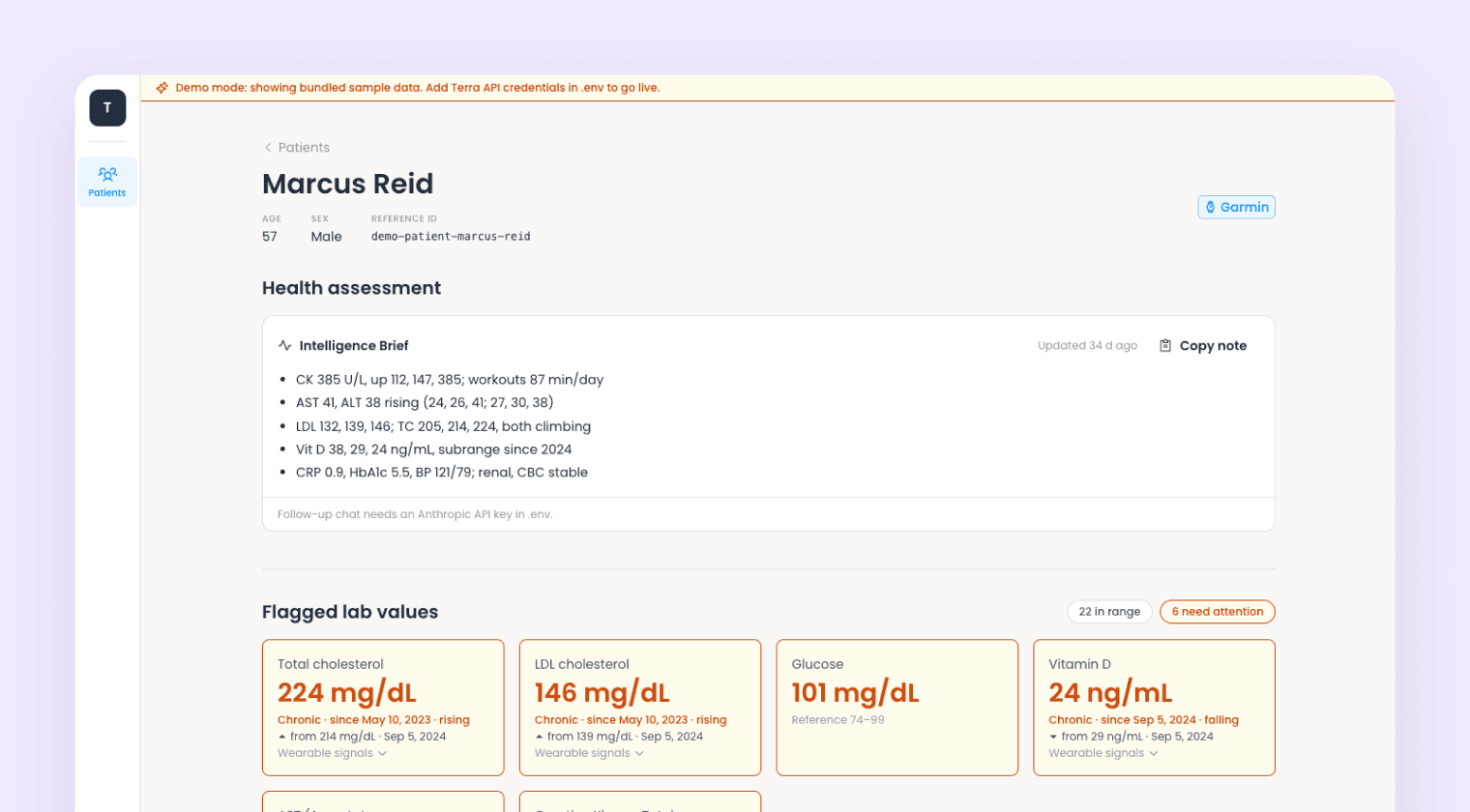
Overview
Panel is a clinician-facing dashboard that joins lab results to wearable data. Upload a lab report PDF and the Lab Reports API returns standardised biomarkers with ranges, flags and provenance, which Panel charts against the same patient's sleep, resting heart rate and training. Without credentials it runs in demo mode on synthetic data: four patients, three years of lab history and 18 months of wearable data.
What's inside
- Report standardisation: PDF in, canonical biomarkers out, each with its range, flag and provenance.
- Cross-report trends: markers matched by biomarker key, so they chart across labs, languages and formats.
- Labs meet wearables: results joined to wearable data by reference ID, the one key they share.
- Health timeline: lab draws plotted over resting heart rate, HRV, sleep and training.
- Pre-draw context: recent exertion and short sleep shown next to each report, since both skew results.
- Explainable scoring: deterministic domain scores against each patient's own baseline, kept apart from the AI layer.
- AI insights: schema-validated structured output, cached by input.
Run it locally
You need the Terra CLI and Node.js 20 or later. Demo mode needs nothing else. For live data, you need a dev ID and API key with Lab Reports enabled, plus the wearable data types you want.
1. Start in demo mode
terra examples clone lab-reports-web-app my-appcd my-appnpm installnpm run devOpen localhost:5173. Demo mode serves the same read path as live mode from a local cache, with changes disabled behind a banner.
2. Go live
cp .env.example .env# TERRA_DEV_ID=# TERRA_API_KEY=npm run seedFill in both keys, then seed four patients. The script prints their reference IDs.
3. Upload reports
Upload the PDFs in sample-reports/, oldest first so trends build up, or use your own. Results appear by panel with range bars, flags and changes since the previous report.
4. Add wearable data
npm run seed:wearables -- <referenceId>Or use the Connect wearable button in the app. Lab draws then appear as markers over daily metrics.
Add an ANTHROPIC_API_KEY to turn on the Intelligence Brief, chat and wearable insights on flagged values. Everything else works without it.Next steps
Start with src/server/lib/lab-reports.ts. Lab sessions never change once they finish, so the app caches completed payloads and refetches anything still processing. The scoring registry in src/server/lib/analysis/ is declarative, so adding a domain or adjusting a guideline band is a data change rather than new code.
More examples
Streaming API
Terra Grip
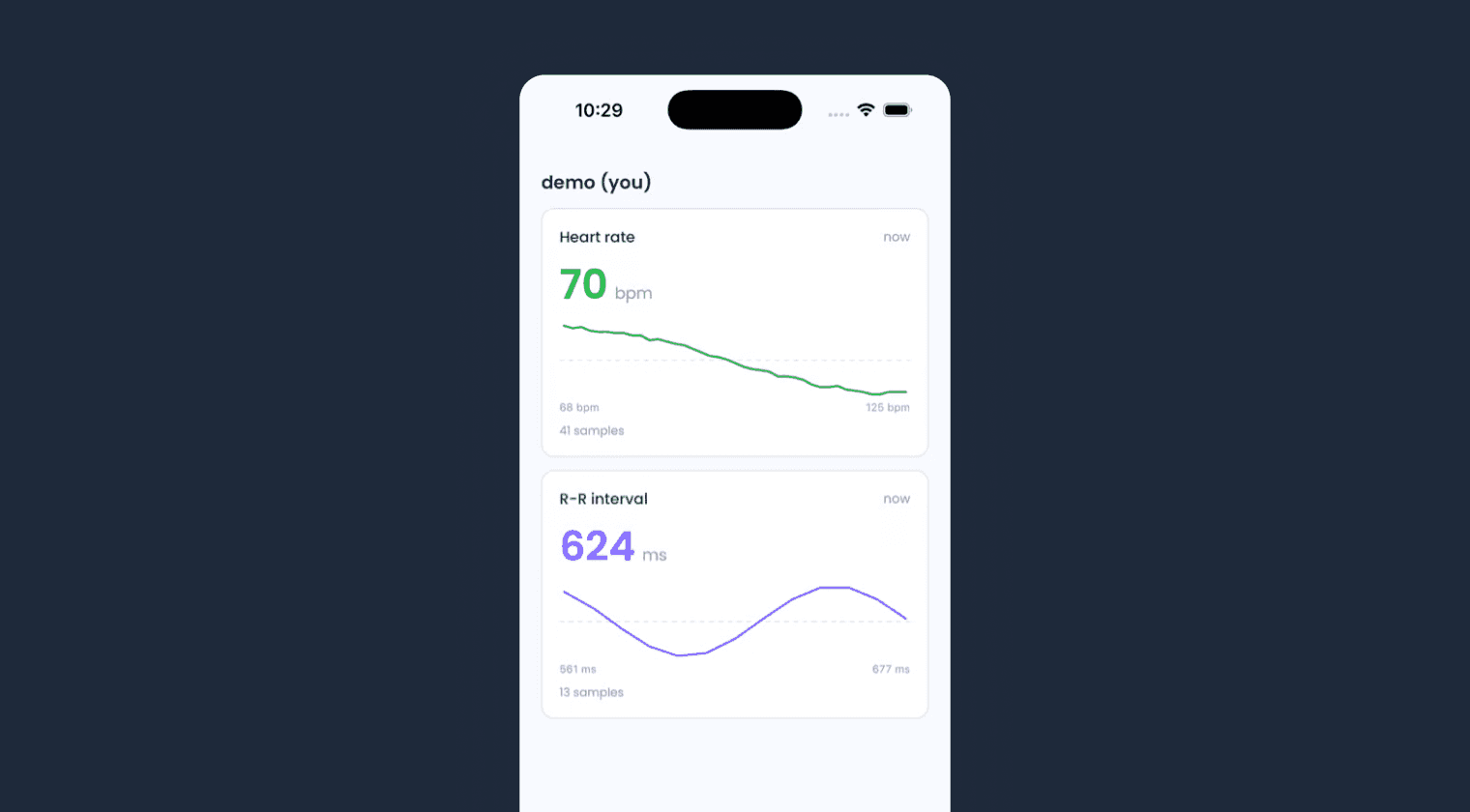
A React Native reference app for the Streaming API: pair a wearable, stream live biometrics to Terra, and render them on screen. No backend, no keys on the device.
Unified API
Terra Basecamp
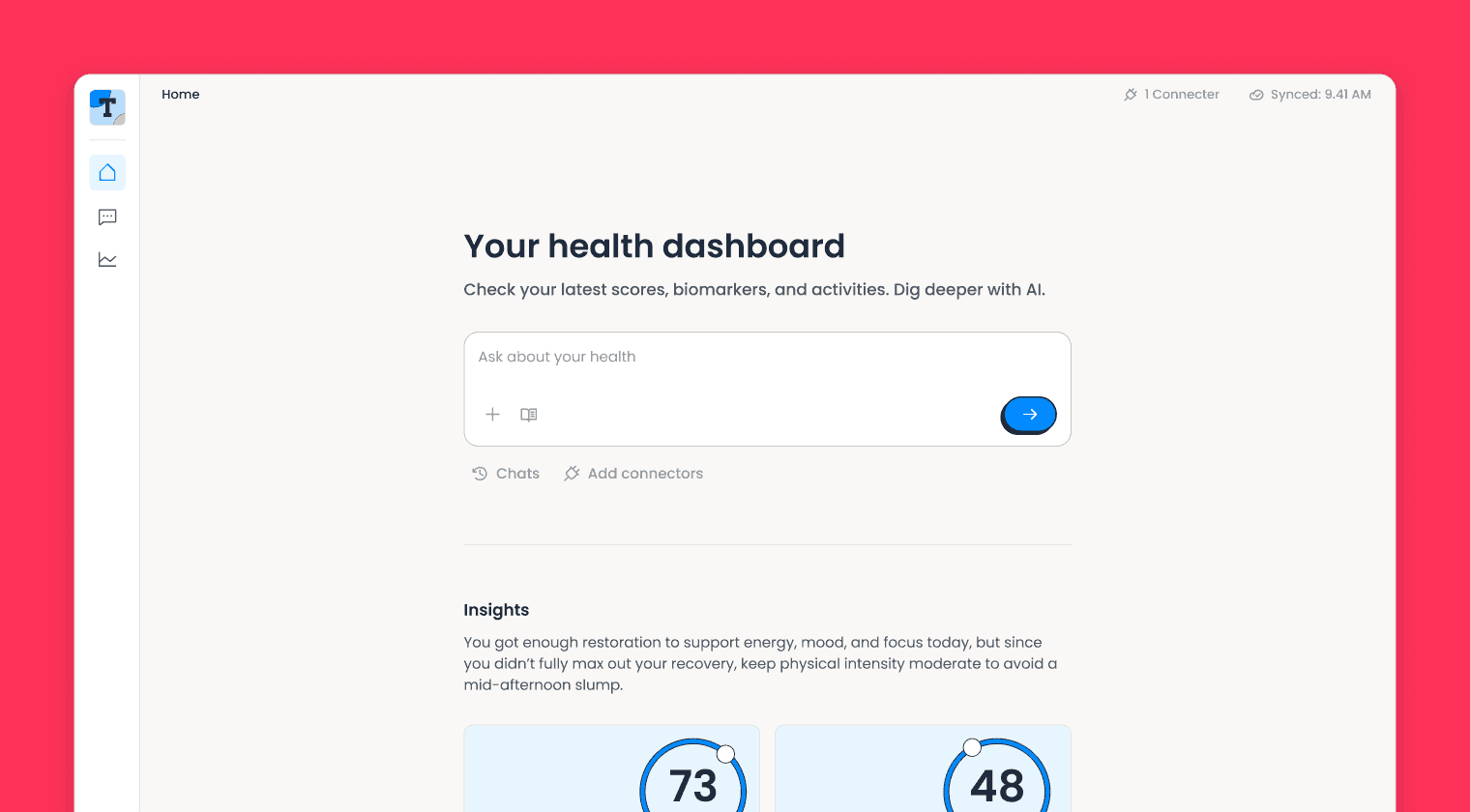
A complete Unified API integration: wearable connections, webhook ingestion, multi-device deduplication, a live dashboard, and an AI health assistant.
Streaming API
Terra Pulse
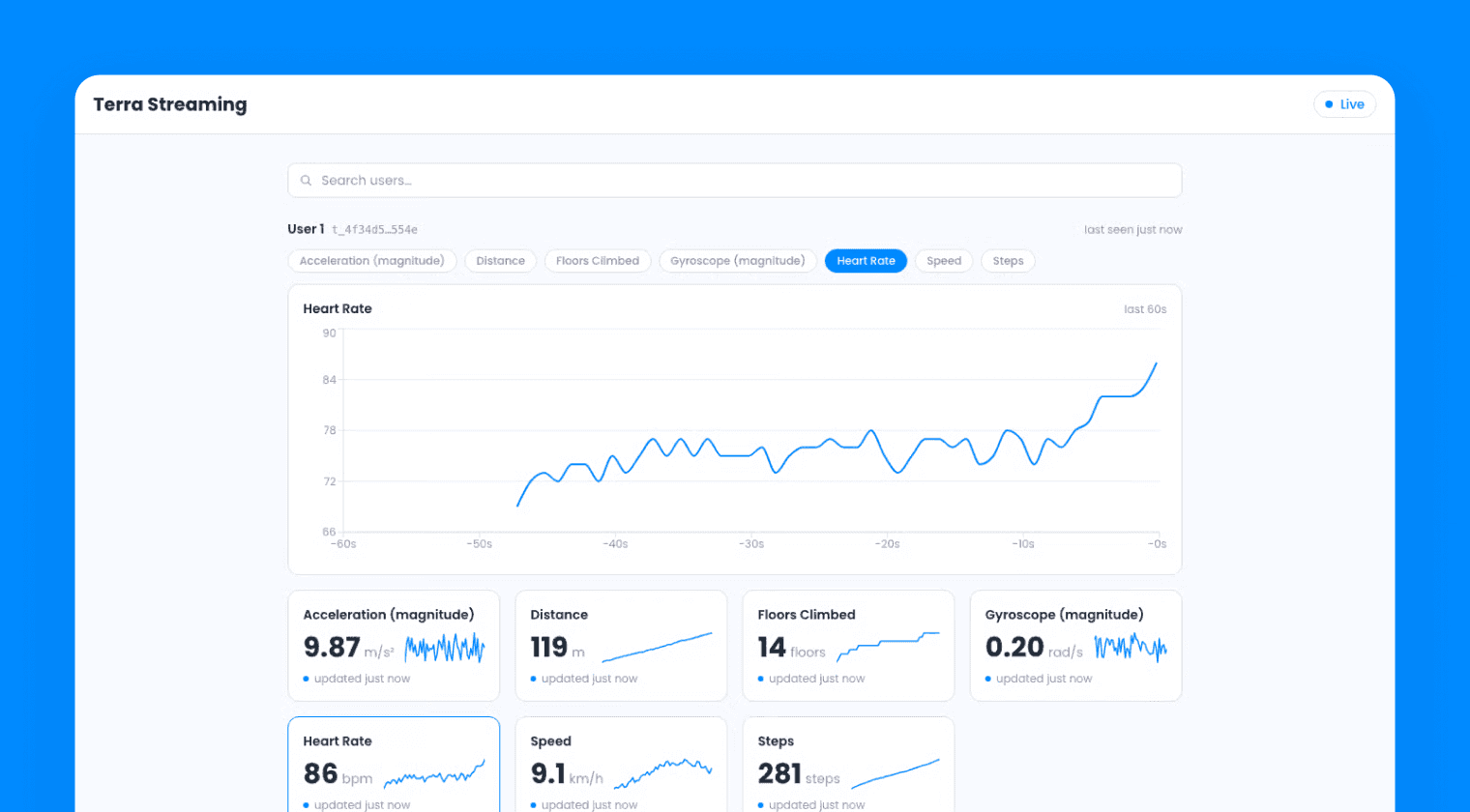
A React web app for the Streaming API: connect to Terra as a consumer, receive live biometrics over a WebSocket, and render them on a real-time dashboard.