Unified API
Terra Basecamp
See a Unified API integration end to end: wearables connect, webhooks land, duplicates merge, and a dashboard and AI assistant sit on top. Clone it and keep the parts your product needs.
npx @tryterra/cli examples clone unified-api-web-app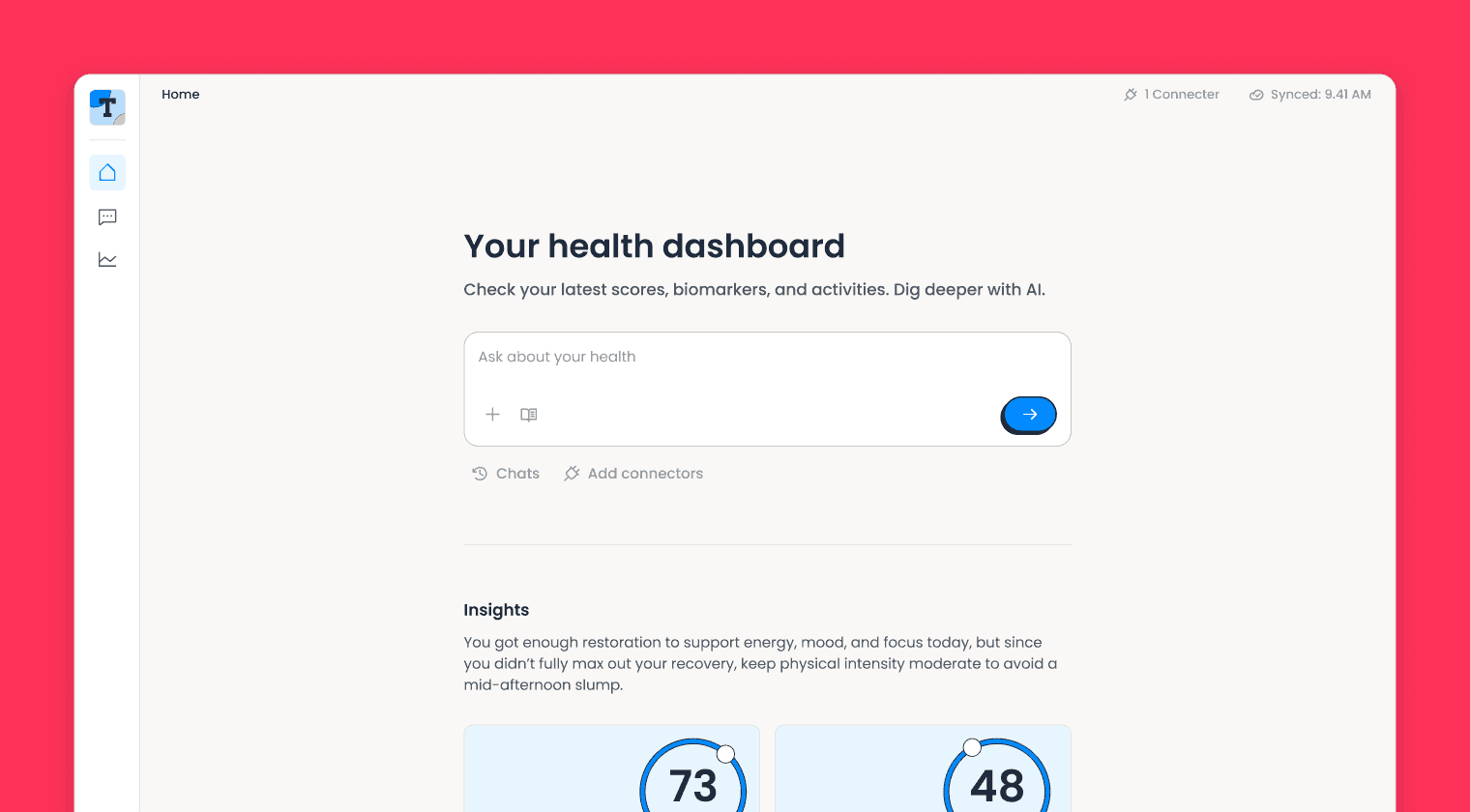
Overview
Basecamp is the reference build for the Unified API. It follows health data from the moment a user connects a wearable to the moment it lands in your database and on screen, so you can lift the parts you need into your own product. The whole app runs as a single Cloudflare Worker backed by Neon Postgres.
What's inside
Basecamp is a working health app, not a stub. Each screen below runs on real data from the Unified API, and the code behind it is yours to keep or replace.
Health dashboard
A unified daily view of steps, heart rate, HRV, sleep and stress across all of a user's devices, with sleep and stress scores and the time of the last sync.
Wearable connections
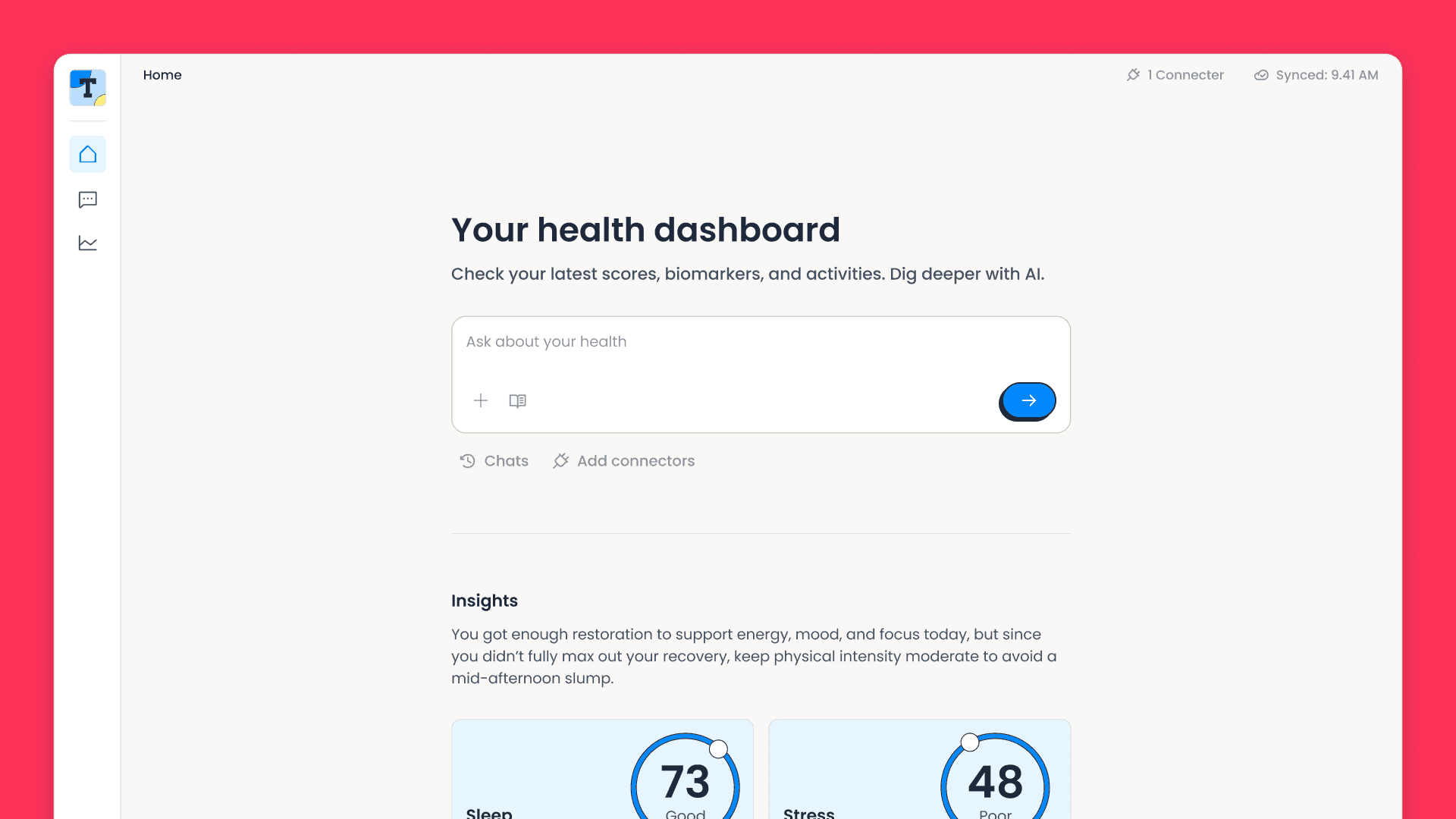
Terra's connection flow from a custom UI, with each device linked to your own user ID. Users search the full provider list, and the page checks every connection against Terra before it renders, so a revoked device never shows as connected.
Connection management
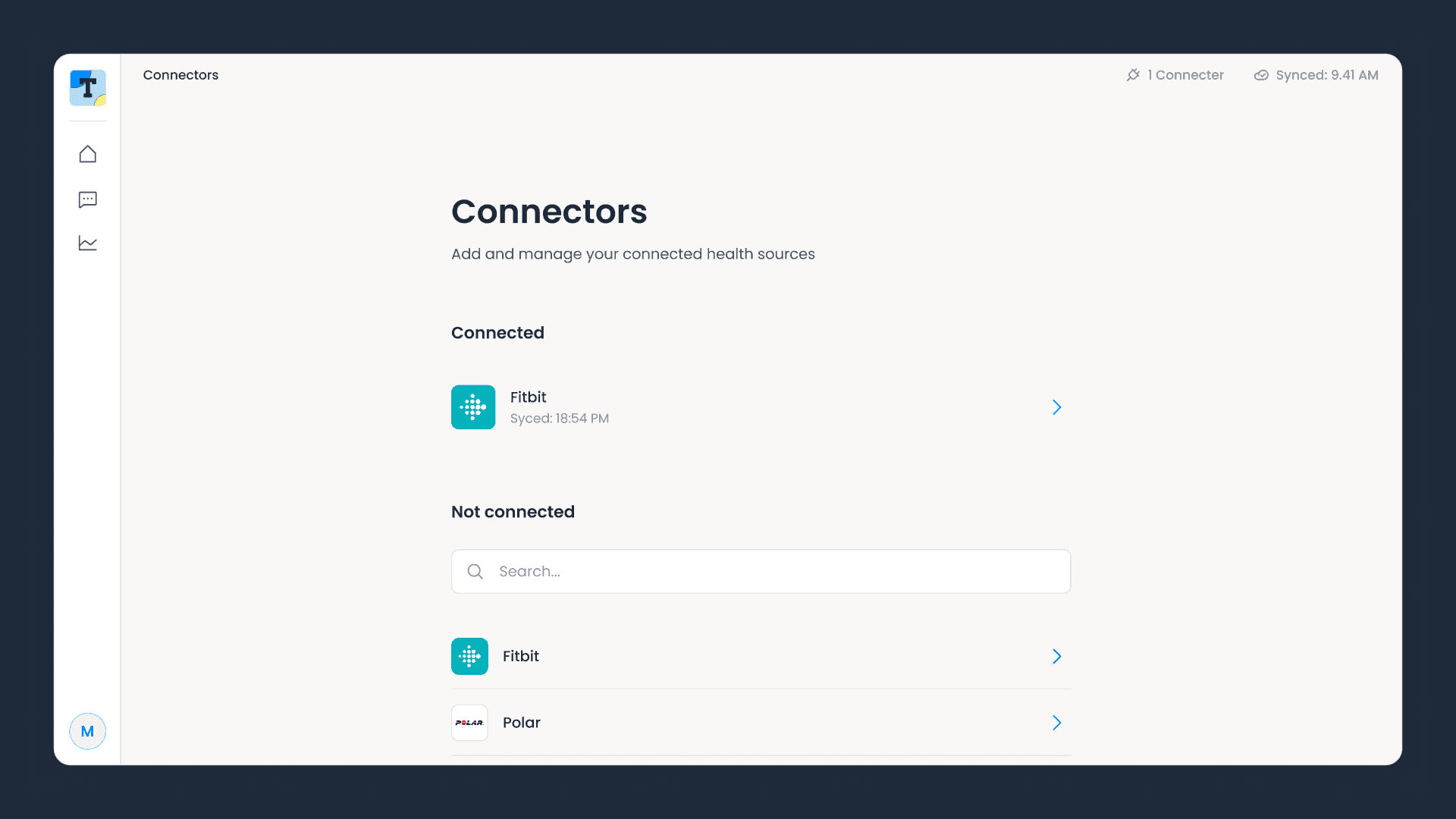
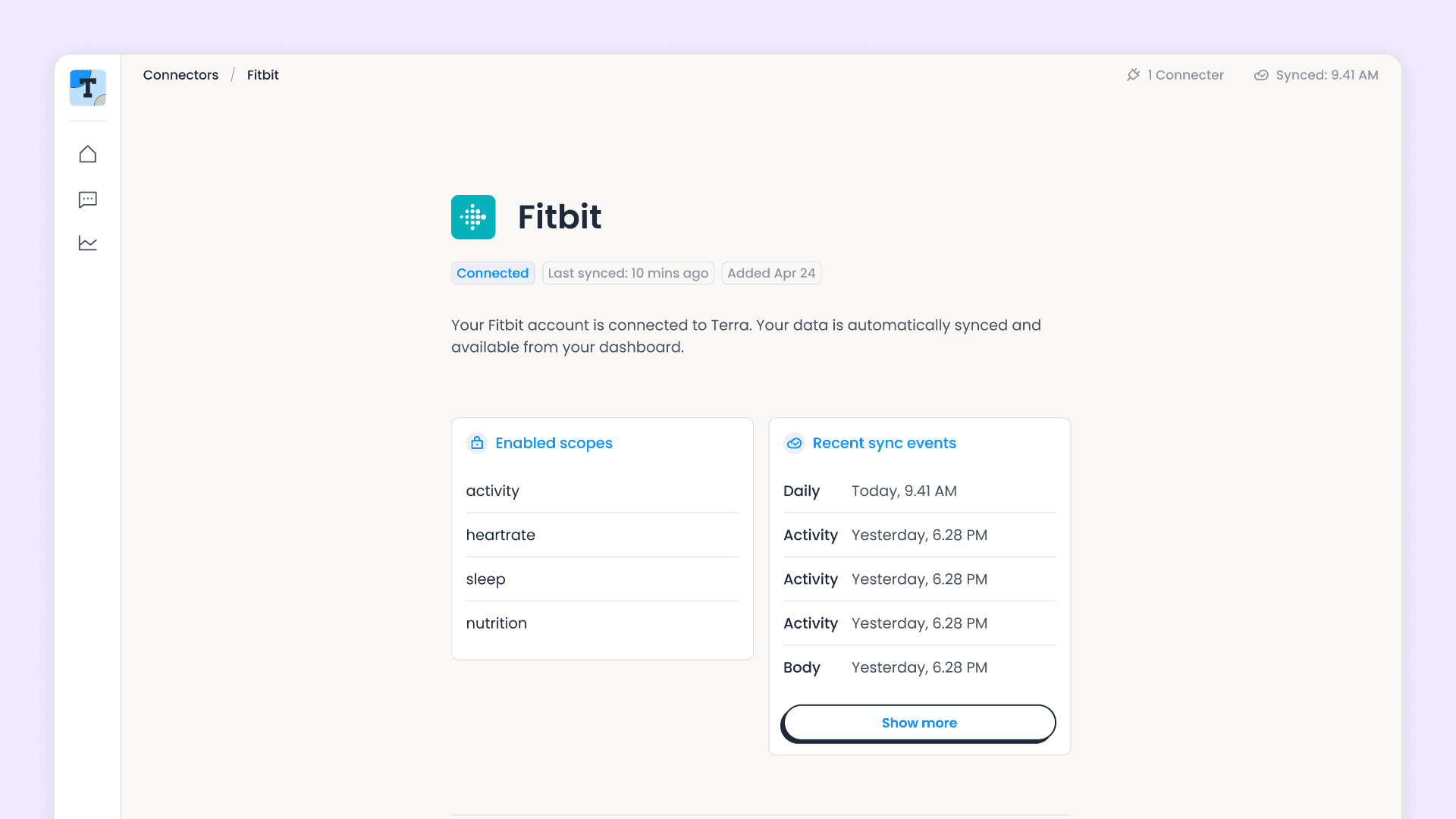
Open a connection to see the scopes the user granted and the recent sync events for each data type. Auth, deauth, reauth and permission changes are all handled.
Trends
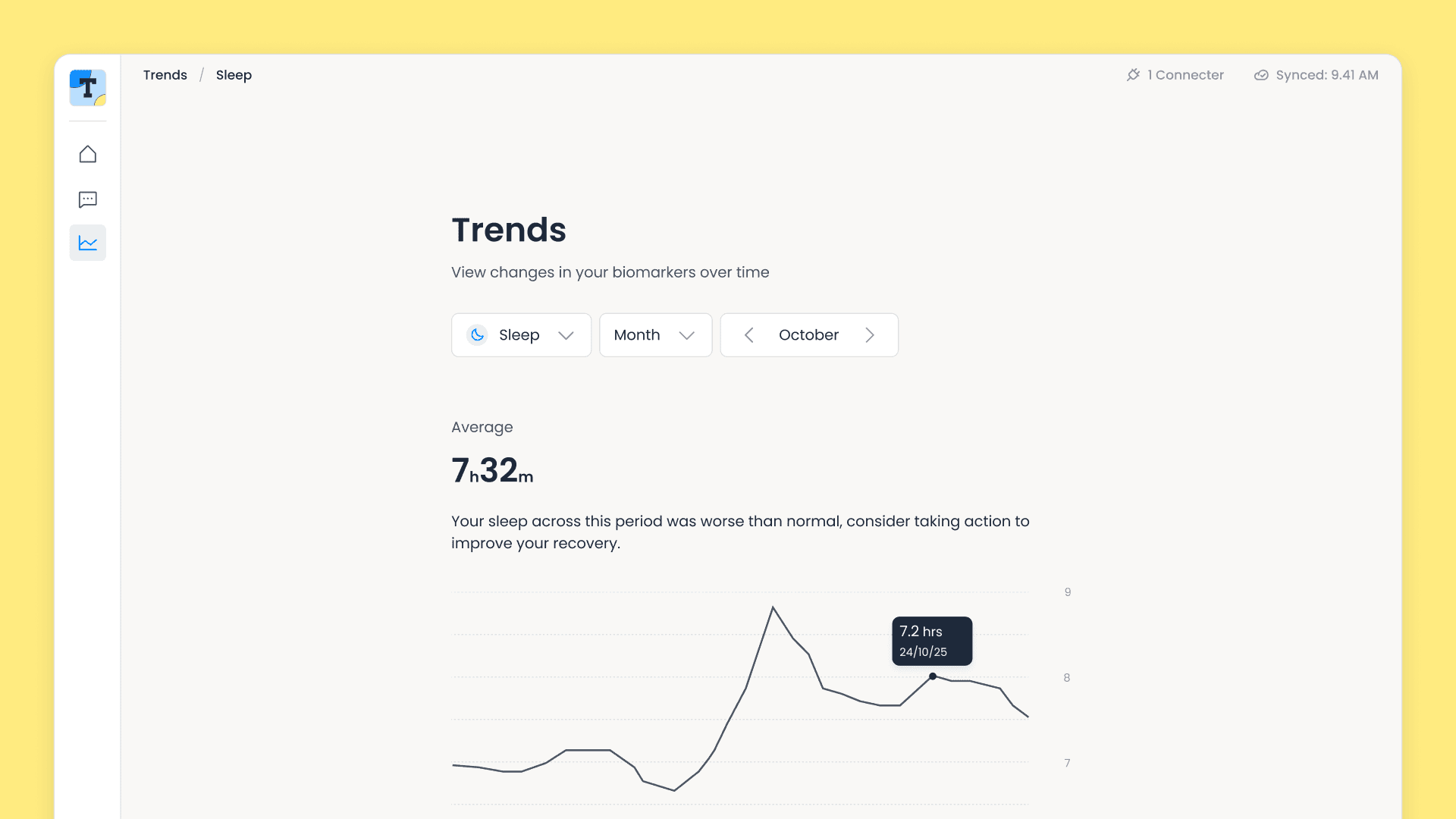
Each metric charted over time, with averages. A 30-day backfill starts when a device connects, so a new user sees a month of history within minutes.
AI health assistant
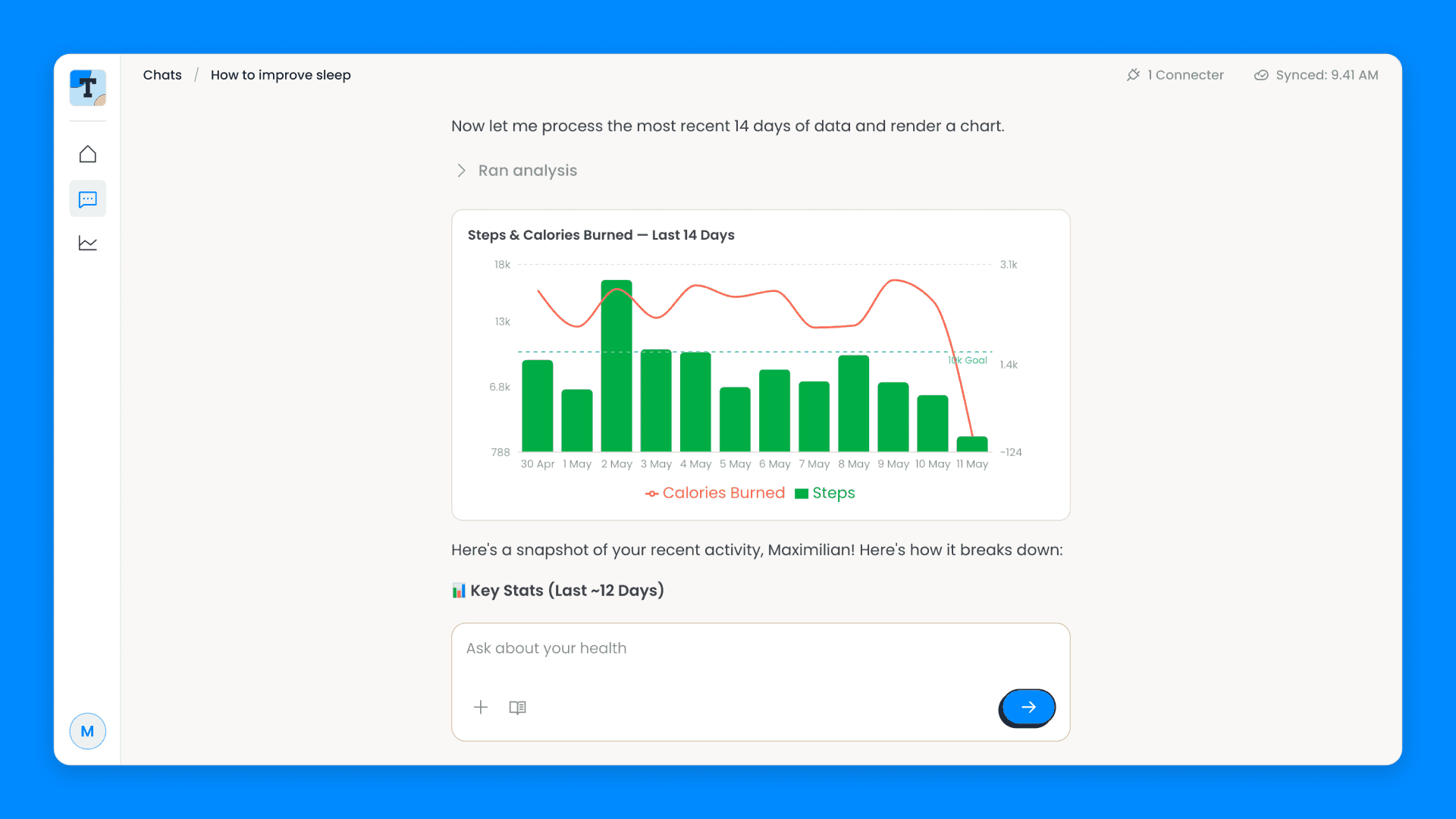
A chat built on Terra's MCP tools that can fetch and chart a user's own data. Ask it "How did I sleep this week?" and it answers with a chart. It is optional and needs an Anthropic API key and the Cloudflare Workers Paid plan.
Under the hood
- Webhook ingestion: a signed endpoint that verifies every payload before it is stored, and skips duplicates.
- Multi-device deduplication: one timeline per user, with overlapping data merged by provider priority.
- Reconciliation: a job every six hours that catches anything a webhook missed.
- Single Worker: one Cloudflare Worker serves the API, the frontend, the AI assistant and the scheduled jobs.
Run it locally
You need the Terra CLI, Node.js 20 or later, and free Neon and Cloudflare accounts with R2 enabled. Setup signs you in to both in the browser.
1. Clone and deploy
terra examples clone unified-api-web-app my-appcd my-appnpm installnpm run setupSetup provisions a Neon database, a Worker and an R2 bucket, runs migrations, deploys, and prints your app URL. Have your dev ID, API key and webhook signing secret from the Terra dashboard to hand. It is safe to run again.
2. Point your webhooks at the app
In the dashboard, set your webhook destination to https://<your-app-url>/api/terra/webhook.
3. Connect a wearable
Sign in with your email, open Connectors and complete a provider's sign-in flow. Terra sends an auth webhook and a 30-day backfill begins. Without SendGrid configured, read the sign-in code from npx wrangler tail.
4. Watch the data arrive
Open the dashboard as the backfill lands, then connect a second device to see overlapping data merge. Ask the chat "How did I sleep this week?" once you have added an ANTHROPIC_API_KEY and moved to the Workers Paid plan.
For day-to-day work, npm run dev runs against a separate database branch.
New to the Unified API? Read how connections, webhooks and data types fit together in the Unified API docs before you customise the app.
Deploy to production
Setup deploys the app once. After that, npm run deploy is a guided release that takes your changes to production in one command.
npm run deployIt walks through each step and stops with a clear fix if one fails:
- Sign in: checks your Cloudflare and Neon sessions and opens the browser if either needs signing in. With more than one Cloudflare account, it asks which to deploy to, then confirms R2 is enabled.
- Build: builds the React frontend with Vite.
- Migrate: generates any pending Drizzle migrations and applies them to the production database branch. Your dev branch is left alone.
- Deploy: publishes the Worker with Wrangler, including the API, the frontend and the six-hourly sync job.
- Set secrets: pushes your Terra credentials, the production database URL and any optional keys to the Worker.
It finishes by printing your live URL. The production database URL is read from Neon at deploy time and never written to a file. Deploy needs a completed setup: if NEON_PROJECT_ID is missing from .env, it asks you to run npm run setup first.
Deploy from CI
To deploy without prompts, add CLOUDFLARE_API_TOKEN and NEON_API_KEY to .env (plus CLOUDFLARE_ACCOUNT_ID if you have more than one account) and run npm run deploy -- --yes. Add --json for a machine-readable result. It exits with 1 when setup or credentials are missing and 2 when a build, migration or deploy step fails.
Next steps
Swap the dashboard for your own UI, keep the webhook and deduplication layers, and add the data types your product needs. The webhook endpoint is the best place to start reading: it verifies Terra's signature against the raw body before parsing, then returns straight away and processes in the background to stay inside Terra's timeout.
The repository ships deeper guides to the webhook pipeline, the connection lifecycle, multi-device merging, the AI assistant and the infrastructure, all in the docs folder.
More examples
Streaming API
Terra Pulse
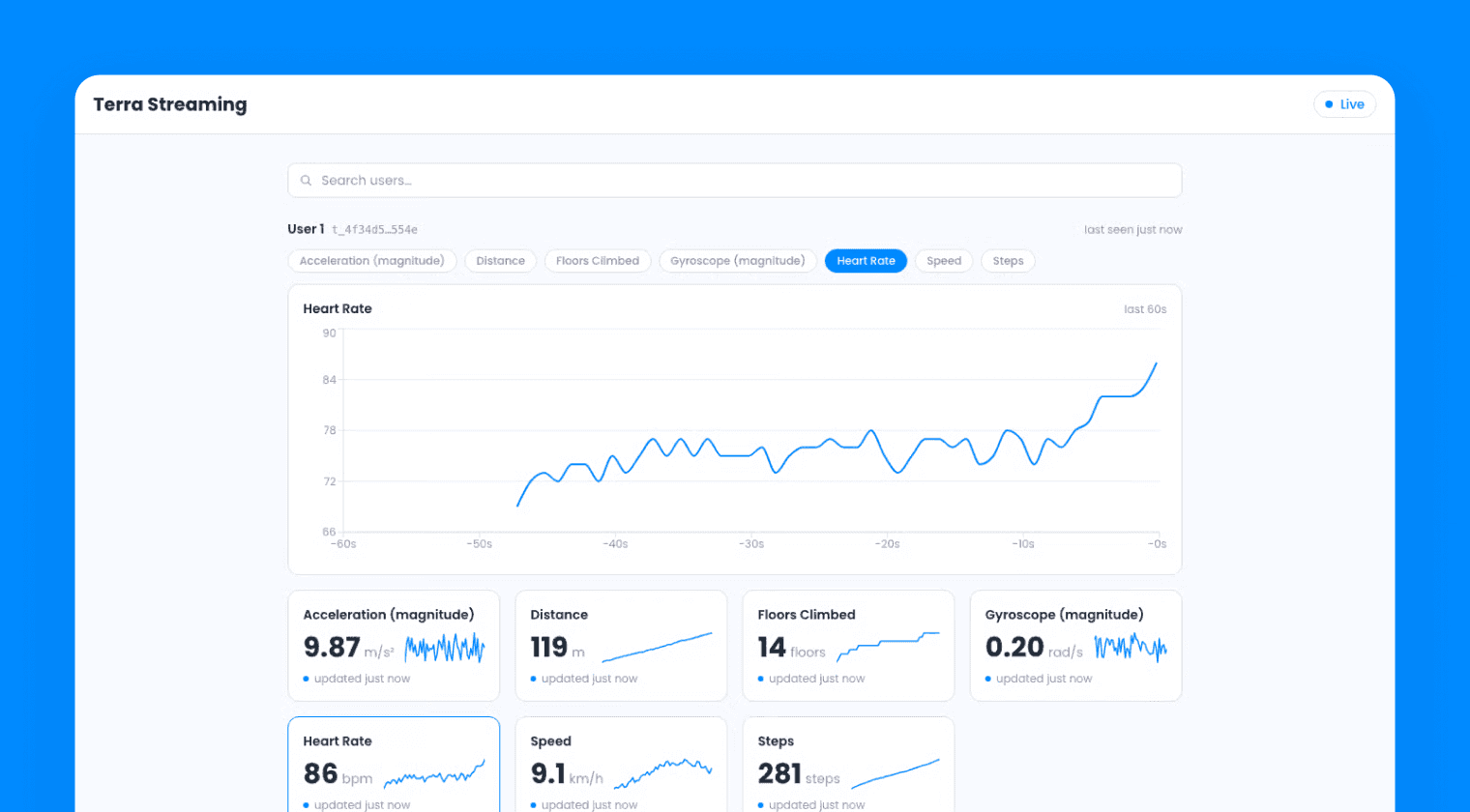
A React web app for the Streaming API: connect to Terra as a consumer, receive live biometrics over a WebSocket, and render them on a real-time dashboard.
Vantage API
Terra Dispatch
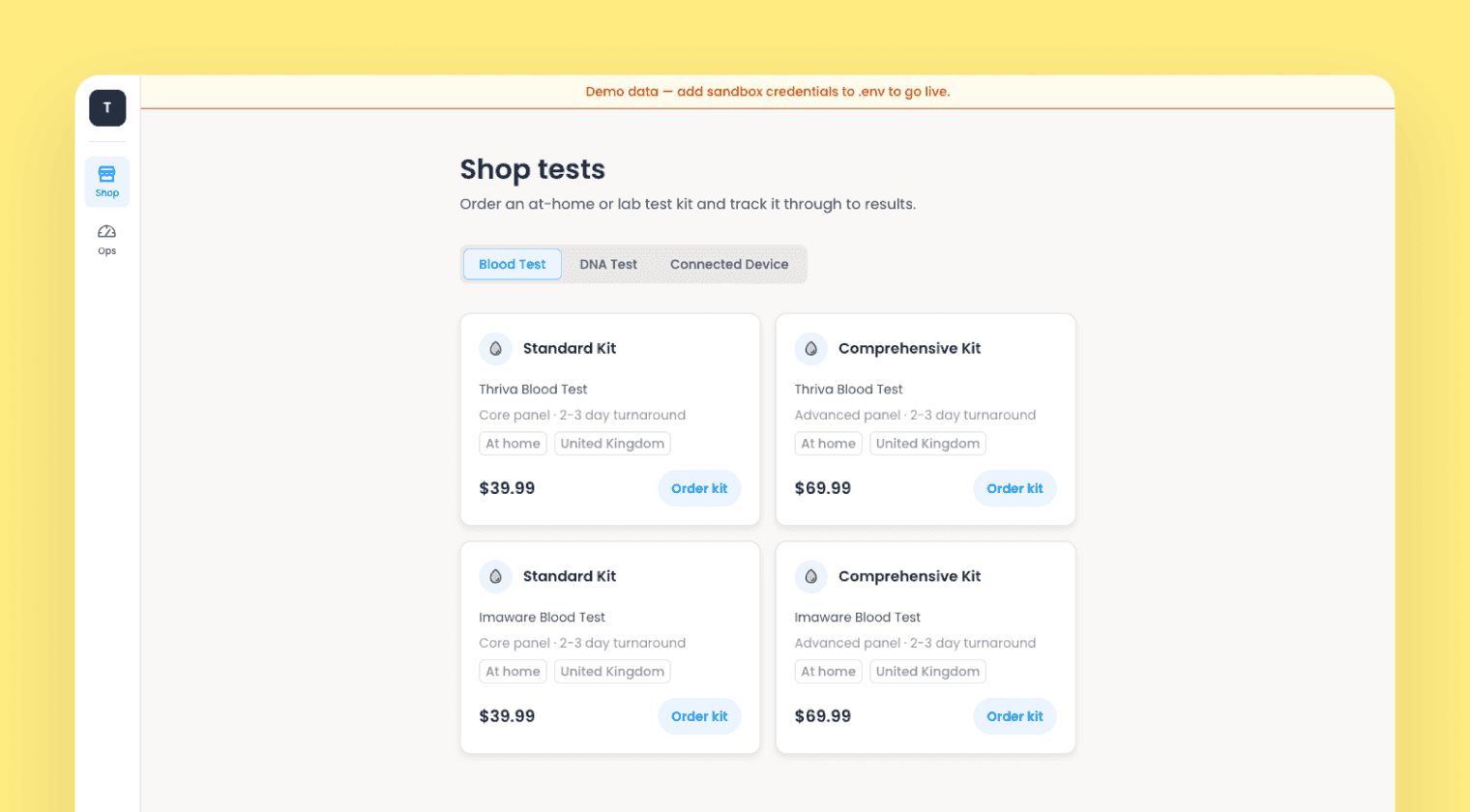
A diagnostics storefront and ops console on the Vantage API: order blood and DNA test kits, track fulfilment, and deliver FHIR results.
Lab Reports API
Terra Panel
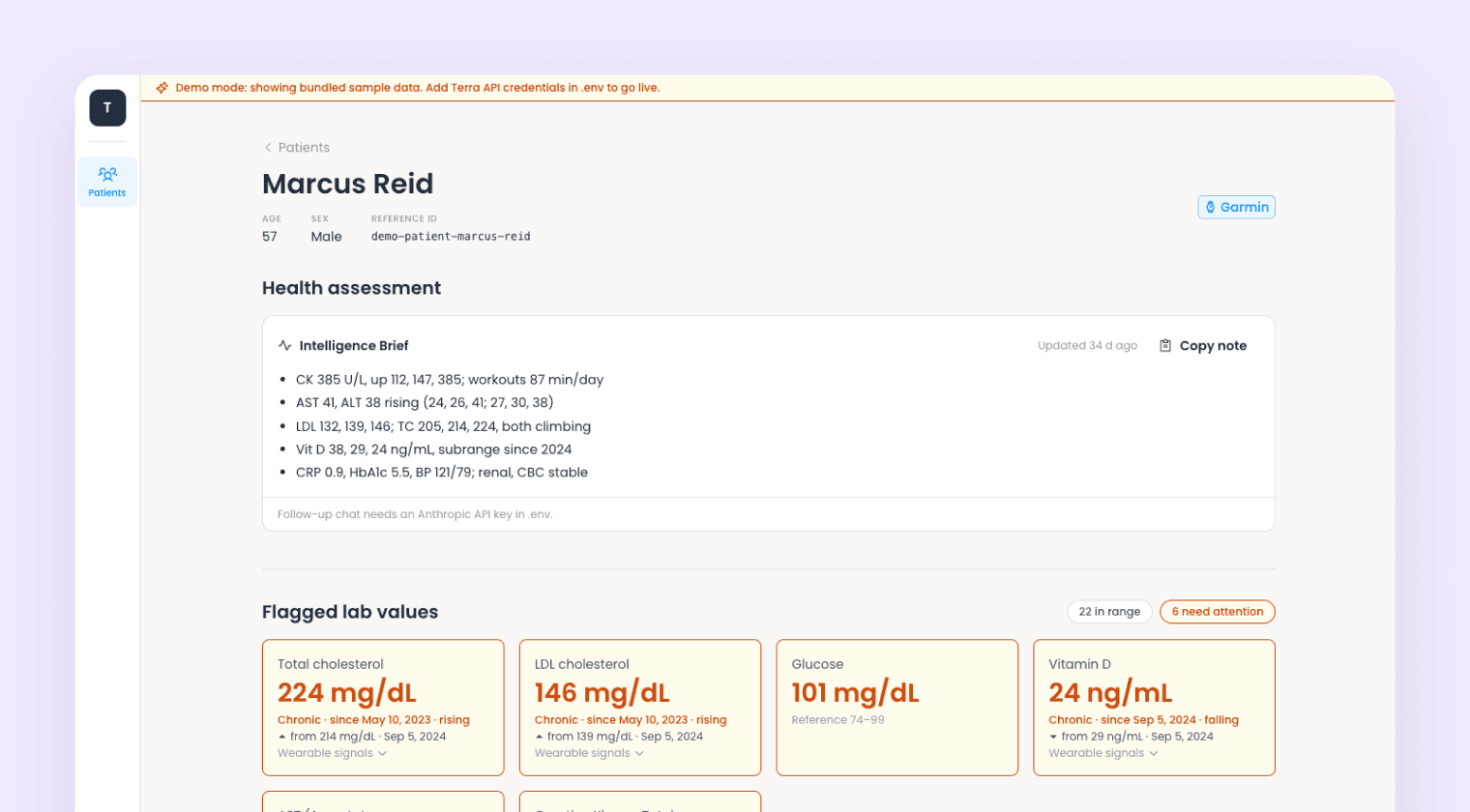
A clinician dashboard on the Lab Reports API: upload a lab report PDF, get standardized biomarkers, and read them against the patient's wearable history.